Convert the director’s intention into geography.
Before asking “Which drone?”, ask what the audience should learn or feel. The strongest aerial shots reveal scale, isolate a subject, connect two spaces or change the emotional pressure of a scene.
Break the brief into three layers: story information (what must be seen),screen direction (where subjects enter, leave and look), andproduction constraint (people, airspace, sun, sound, reset time and legal route). A shot that cannot be repeated safely is not a dependable plan.
Name the information or emotion only height and movement provide.
Map foreground, subject, reveal, background and safe escape route.
Protect eyelines, travel direction, sun position and matching action.
Plan an entrance, hold and exit—not only the hero moment.
Design the flight on the ground.
A useful recce combines creative blocking and operational evidence. Walk the launch point, likely public approaches, sun path, magnetic and RF environment, obstacles, emergency land areas and the full intended VLOS envelope. Then look at the frame from ground level before adding altitude.
Build a shot lane, not a waypoint
- Mark the subject line, camera line and the background that makes the movement readable.
- Choose a generous start and end position so the editor has handles.
- Define the closest safe point, maximum height, abort gate and clean return route.
- Walk through how uninvolved people, vehicles and livestock could enter the area.
- Rehearse at conservative speed and height before adding performance or complex parallax.
Creative planning never overrides the legal route. Match the exact aircraft and operation to A1, A2, A3 or an Operational Authorisation, then check live airspace and local permissions. See the linked UK law guide for the 2026 framework.
Treat light and weather as part of the move.
An aerial frame sees more sky, reflective surface and changing atmosphere than most ground cameras. Track the sun angle across the complete shot lane, not only at take-off. A reveal can move from flat front light into flare or expose a bright horizon that was outside the opening frame.
| Condition | Creative opportunity | Production response |
|---|---|---|
| Low sun | Long shadows, shape and atmospheric separation. | Check flare through the whole move, protect highlights and schedule direction-sensitive takes tightly. |
| Bright overcast | Soft continuity and reduced ground contrast. | Keep pale sky out of frame where it adds nothing; expose faces, buildings and landscape deliberately. |
| Variable cloud | Moving pools of light can add scale. | Record continuity notes and group matching angles into the same light window. |
| Wind | Energy in water, trees, clothing and vehicles. | Design the outbound leg and return reserve around wind direction; simplify long-lens and close-proximity moves. |
| Haze or mist | Layered depth and compressed tonal separation. | Confirm VLOS, moisture limits and contrast expectations before treating atmosphere as a visual effect. |
Build a weather decision time into the call sheet: one point for the go/no-go decision and another for creative rescheduling. “Legal to launch” and “worth shooting” are different thresholds.
Settings that survive the grade.
Match the production’s base frame rate, colour pipeline and delivery before the aircraft launches. In the UK, 25fps is common; a 180-degree shutter starting point is therefore 1/50s. Use ND filtration to hold shutter and aperture rather than allowing exposure automation to rewrite motion blur mid-shot.
| Control | Practical starting point | Watch for |
|---|---|---|
| Frame rate | Match the main unit: often 25fps; use 50/100/120fps only when the brief calls for slow motion. | High frame rates need more light and may crop, soften or change codec options. |
| Shutter | About double frame rate: 1/50 for 25fps, 1/100 for 50fps. | Very fast shutter makes foliage, water and lateral movement brittle. |
| White balance | Set a fixed Kelvin value agreed with camera department. | Auto white balance can drift through a pan or reveal. |
| ISO | Stay near the camera’s clean base range and expose deliberately. | Underexposed log footage can reveal compression and shadow noise. |
| Profile | 10-bit log or log-like profile when the production has a managed grade; standard profile for rapid turnaround. | Confirm every lens/camera on a multi-camera drone offers the same profile. |
| Focus | Set and verify before the move; use peaking where available. | Tele lenses and close passes expose small focus errors. |
Protect highlights in reflective water, cloud and pale buildings, but do not blindly underexpose log. Use zebras or waveform where the controller supports them. Record a short test, play it back full-screen, and check the card, codec and remaining capacity before the first take.
Eight moves worth mastering.
- The reveal: use foreground occlusion, terrain or architecture to withhold the subject, then uncover it with one controlled axis.
- The push: move toward a stable point to build intent. A longer lens compresses geography and makes a modest move feel focused.
- The pull-away: begin intimate, then disclose context. Hold the opening composition long enough to cut in cleanly.
- The lateral parallax: track sideways with near, mid and far layers. The background should prove the movement.
- The lead or chase: match subject speed with an agreed action and abort line; avoid speed changes that look like correction.
- The orbit: choose radius, height and background deliberately. A mechanically perfect circle is often less useful than a shaped arc.
- The crane transition: begin as a conventional eye-level camera, then rise or fall to transform the scale.
- The locked aerial: let action move within a disciplined high frame. Stillness can feel more expensive than constant gimbal input.
If a take feels “droney”, remove an input. A precise move with one motivated gimbal change is usually more editable than simultaneous climbing, orbiting, panning and reframing.
Build coverage, not one expensive hero shot.
Aerial footage becomes far more valuable when it arrives as a small visual sequence. Keep screen direction and light consistent, then vary scale and movement enough to give the editor genuine choices.
- Orientation: a wide geography shot that establishes the location and the subject’s route.
- Relationship: a medium-height frame that connects the subject to one important feature of the location.
- Movement: the motivated hero pass, reveal, lead, chase or shaped orbit.
- Compression: a longer-lens detail that layers the subject against the environment without repeating the wide shot.
- Transition: a clean entry or exit frame that can connect aerial and ground coverage.
- Safety plate: a stable hold or simpler alternate that can rescue the sequence if the hero move does not cut.
Settle before the action, hold the composed moment, then finish cleanly. The editor needs frames on both sides of the idea; an aircraft that turns away immediately after the reveal can make the best moment unusable.
The camera move is a team action.
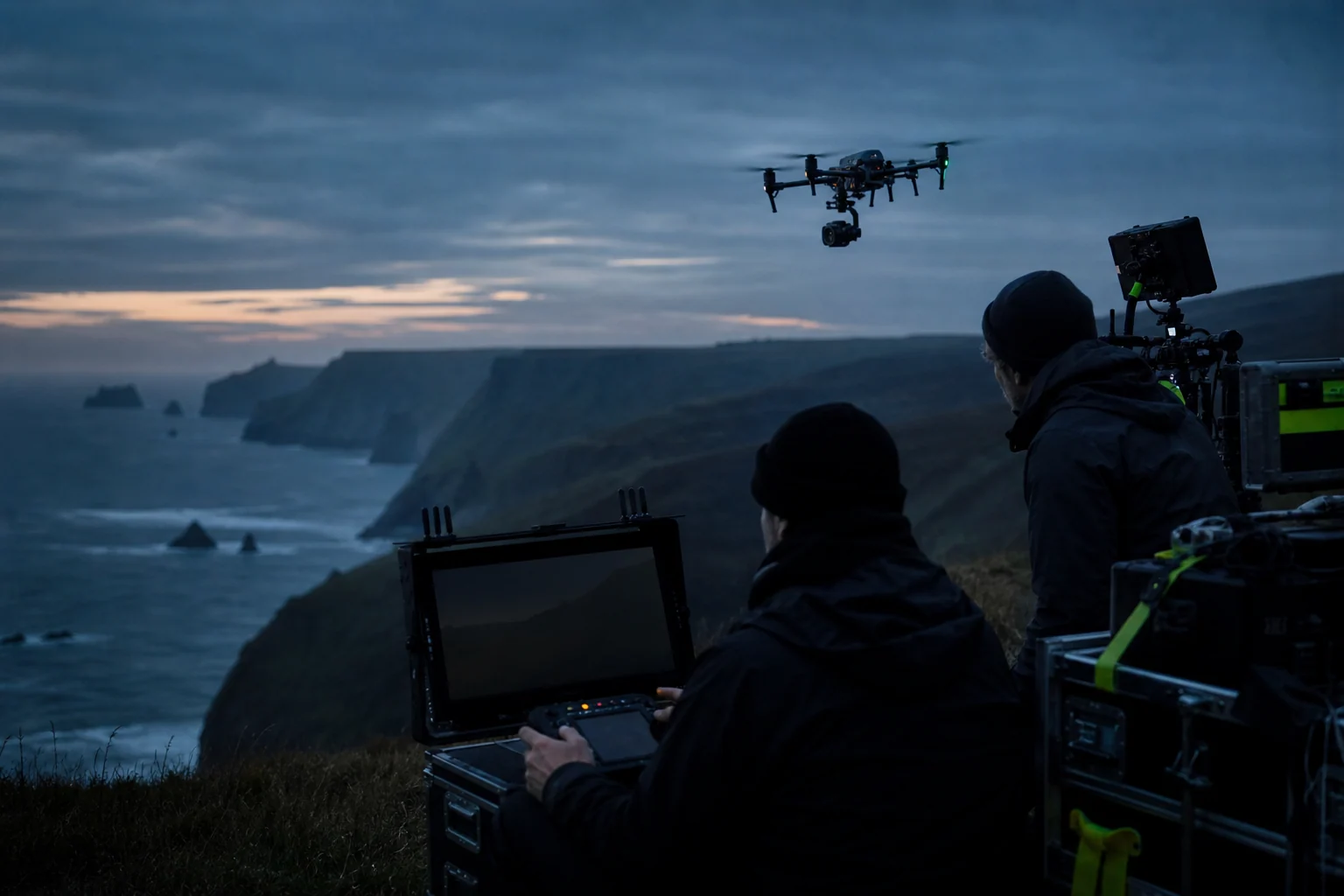
Define roles before props turn. On a larger system, separate pilot and camera operator so each can concentrate on aircraft path or frame. Add a competent observer where the operation or FPV method needs one, and nominate one production contact who controls action around the flight area.
Use short, unambiguous calls
- “Aircraft live” when the system is armed and the area must remain controlled.
- “Taking off” only after the landing area and overhead volume are confirmed clear.
- “Camera speed” / “action” through one agreed chain, not several radios competing.
- “Abort, abort, abort” available to any crew member who sees a developing hazard.
- “Aircraft down and safe” before people approach or the production resets.
Brief loss of link, unexpected aircraft, public incursion, low battery, GNSS degradation and flyaway response. “Return to home” is a tool, not a complete emergency plan; its height and path must suit the location.
A calm on-set rhythm gets better pictures.
- Complete aircraft, battery, propeller, storage and controller checks away from pressure.
- Confirm airspace, weather and public conditions have not changed since the recce.
- Set fixed camera parameters and record a slate or clear clip identifier.
- Rehearse the subject and aircraft independently where possible.
- Fly a conservative line, review it, then refine only one variable at a time.
- Call battery gates early enough for a composed return and an alternate landing.
- After landing, make the aircraft safe before changing cards, lenses, filters or batteries.
- Log the flight and note any technical issue before the next sortie.
Wind aloft can differ markedly from the launch point. Watch groundspeed, attitude and battery consumption on the outbound leg. Build the return into the take rather than discovering the reserve after “one more pass”.
Hand over footage, not mysteries.
Agree naming, checksum, media ownership and backup responsibility before the shoot. Keep an original card or verified duplicate until production confirms the transfer. Supply a short camera report containing aircraft, camera/lens, codec, resolution, frame rate, colour profile, white balance, ND and any take notes.
For multi-lens systems, label the physical camera—not simply “Mavic”. Note digital zoom or crop modes. If a shot uses a speed ramp or automatic mode, flag it. Production can only match what it can identify.
The cinematography checklist
- What story job does the aerial shot perform?
- What is the shot’s start, reveal, hold, exit and safe abort?
- Which aircraft, lens and legal route fit that exact operation?
- Are frame rate, shutter, white balance, codec and profile locked?
- Who owns aircraft path, frame, public control and the stop call?
- How do weather, sun and subject direction affect continuity?
- What footage and metadata does post need at handoff?
Quick answers
Frequently asked questions
What camera settings should I use for cinematic drone footage?
Start with the production frame rate and delivery format, use a fixed white balance, choose the required colour profile and codec, and set shutter deliberately for the desired motion rendering. Use ND filtration to control exposure when appropriate, and protect highlights without unnecessarily starving log footage of exposure.
What makes drone footage look cinematic rather than “droney”?
A motivated move, disciplined composition and a useful beginning and end matter more than complexity. Limit simultaneous inputs, include foreground and depth, hold key frames long enough for the edit, and let the aerial shot reveal story information that a ground camera cannot.
How many batteries should a drone filming job carry?
Plan from the shot list, realistic safe flight time, charging speed, travel between locations and turnaround. Carry enough capacity to complete the critical sequence with reserve and redundancy; manufacturer maximum flight time is not a production planning figure.
Should a drone pilot also operate the camera?
Small productions can work well with a skilled single operator. Complex paths, long-lens framing, repeatable moves or cinema platforms benefit from separate pilot and camera-operator roles so each person can concentrate on aircraft safety or the frame.
How do you match drone footage to an A-camera?
Agree frame rate, shutter approach, white balance, colour pipeline, aspect ratio and sharpness treatment in advance. Test the drone profile, expose consistently, record the exact camera and lens used, and give post-production clear clip and colour notes.